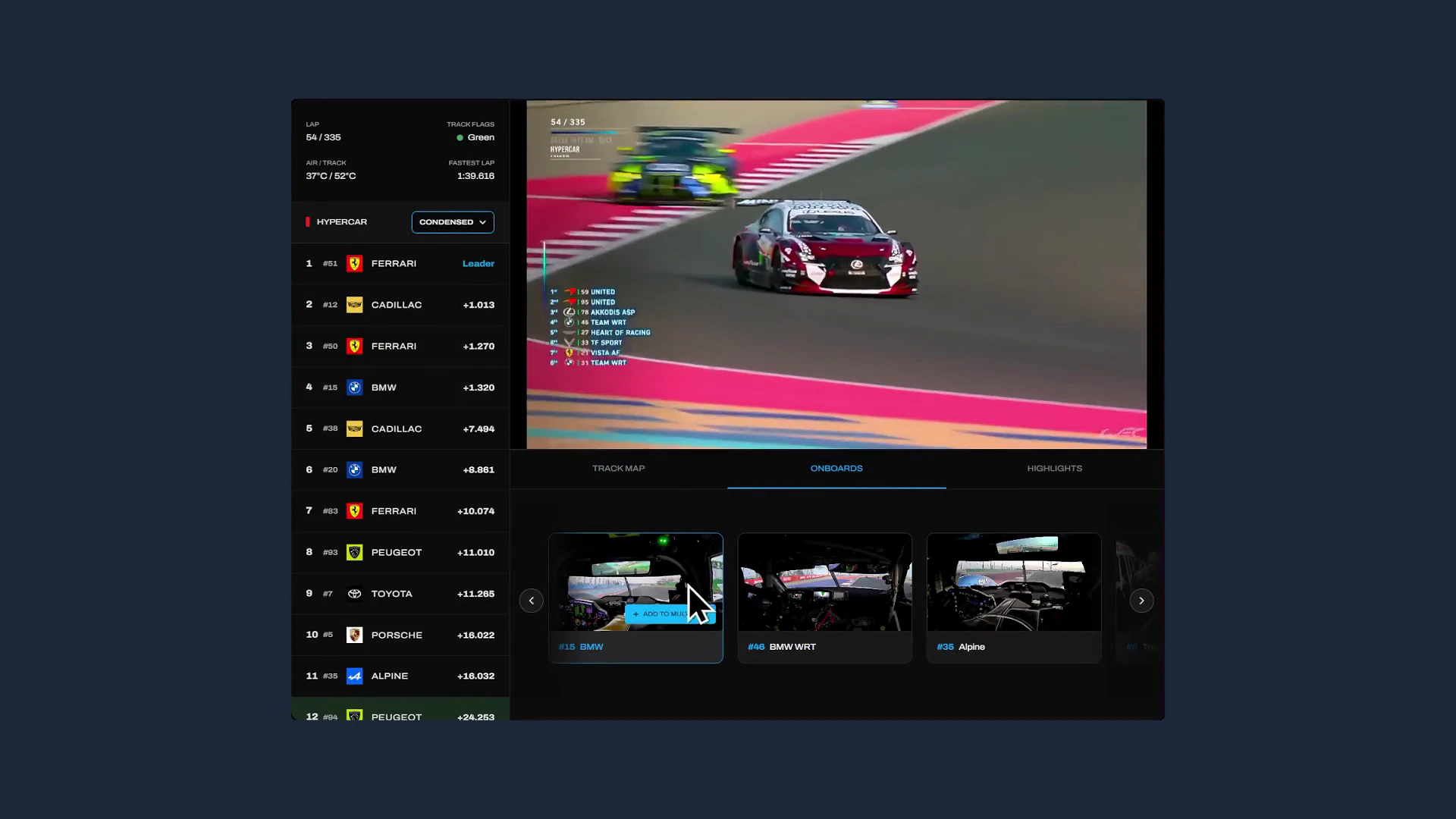
FIA WEC Digital Race Experience

Replacing a fragmented three-app setup with a single unified platform — bringing live timing, broadcast feeds, and track mapping together for both casual fans and hardcore enthusiasts.

RoleLead User Researcher & Lead Product Designer
TimelineNov 2025 – Jan 2026
Core SkillsUser Research, Ideation, Wireframing, Prototyping, Usability Testing
ToolsFigma, NVivo

Researched and Designed as a Solo Passion Project

Pre-existing knowledge of WEC allowed me to recruit participants quickly and ask sharper interview questions — but I had to actively challenge my own assumptions at every design stage to ensure decisions were grounded in what I observed, not what I expected. Every design decision in this case study is traced to a specific research finding.

The Final Product: High-Fidelity Prototype

Before diving into the research and design decisions, here is an demo of me using a high-fidelity prototype version of the software.

Fans Were Juggling Three Apps Just to Follow One Race

Contextual Inquiry: Live During the 2025 8 Hours of Bahrain

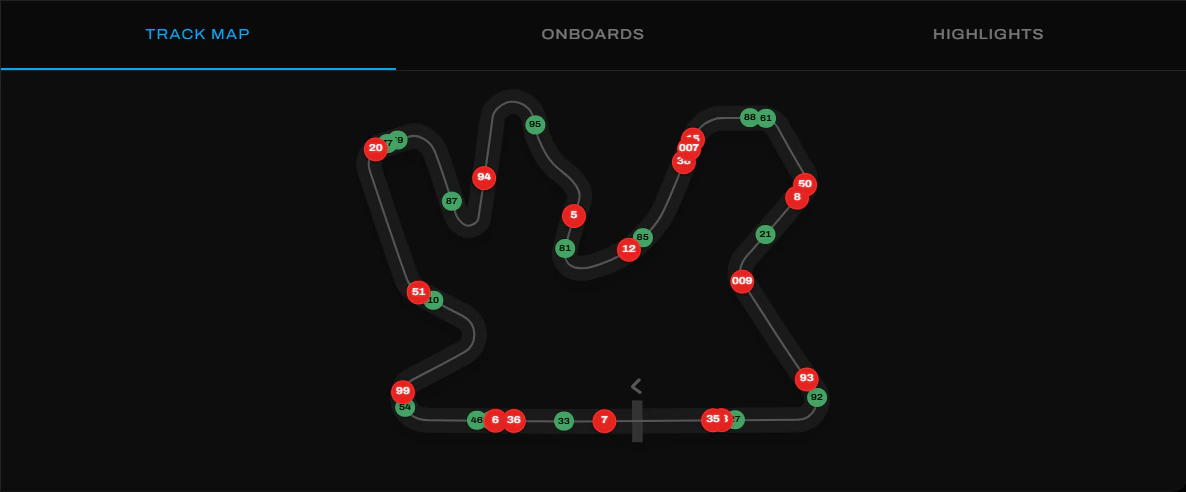
I observed and interviewed 6 participants across the full 8-hour race, capturing app-switching behaviour in real time. Every participant juggled three or more third-party apps simultaneously, averaging over 10 app switches per hour. The race's multi-class structure made the absence of a centralised platform unusually costly — fans were constructing their own picture of two simultaneous races from disconnected sources.

Sampling LimitationAll 6 participants were recruited from my personal network and were confirmed WEC fans. This skews findings toward enthusiast behaviours. Casual fan pain points were captured through follow-up interviews rather than direct observation.

Four Distinct Problems Emerged From Observation and Interview Data

Observation notes and interview transcripts were analysed through thematic analysis, surfacing four recurring failure points:

Problem #1

No Single Source of Truth — Fans Were Stitching the Race Together Themselves

Constant app-switching to construct a picture of the race created unavoidable gaps in context and sustained cognitive load throughout the entire event.

Problem #2

Tyre Age, Position Gaps & Core Data Were Hidden or Absent

Tyre data is rarely surfaced in the broadcast, and current stint information is impossible to find quickly — stripping away the strategic context that makes endurance racing compelling. This finding directly motivated the progressive disclosure approach in Decision #1.

Problem #3

38 Cars, 2 Classes — A Text Leaderboard Told No Story

Fans predominantly follow one class but still care what happens in the other. A flat text leaderboard forces users to monitor both classes simultaneously, with no way to prioritise without missing something.

Problem #4

Information Overload Was Turning Casual Fans Away Entirely

Casual fans who didn't disengage entirely were left passively watching — frustrated by an inability to understand the context of on-track events they were witnessing. Several mentioned relying on a companion to explain what was happening.

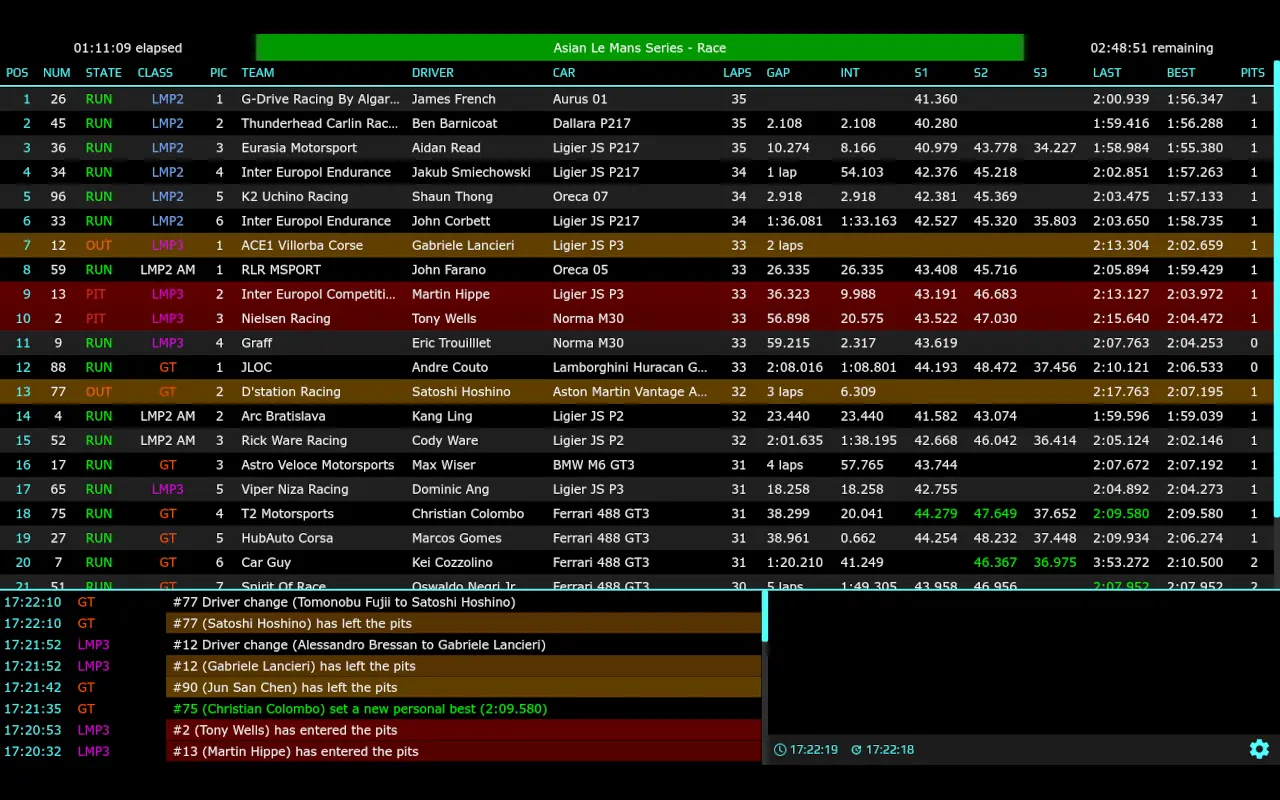
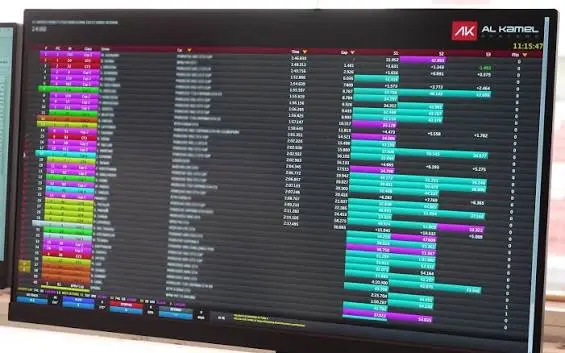
F1TV Set the Multi-Feed Benchmark; Timing71 Confirmed the Integration Gap

F1TV

Benchmarked for multi-feed layout conventions. F1TV establishes what fans already expect from a premium racing broadcast product — its layout patterns informed the anchor positioning in Decision #2.

Timing71

Demonstrated that deep timing data has a genuine, proven audience — but its complete absence of broadcast integration confirmed the exact gap I was designing into.

The Same Missing Data Failed Both Fan Types — for Different Reasons

James, the Casual Fan

"I just want to know what is happening and why while I follow the race with my friends."

  • Opens three separate apps within 10 minutes, gets confused, and gives up.
  • Relies on a companion to explain the context of on-track events.

Simon, the Enthusiast

"I know the positions. I need to know why they are there, and the future implications of their strategy."

  • Runs Timing71 as a permanent second screen alongside the broadcast.
  • Uses a third app for text updates and highlight clips of action he missed.
"How might we give fans a complete picture of the race without overwhelming them — in a single environment, tailored to their viewing habits?"

Low-Fidelity First: Validating Architecture Before Investing in UI

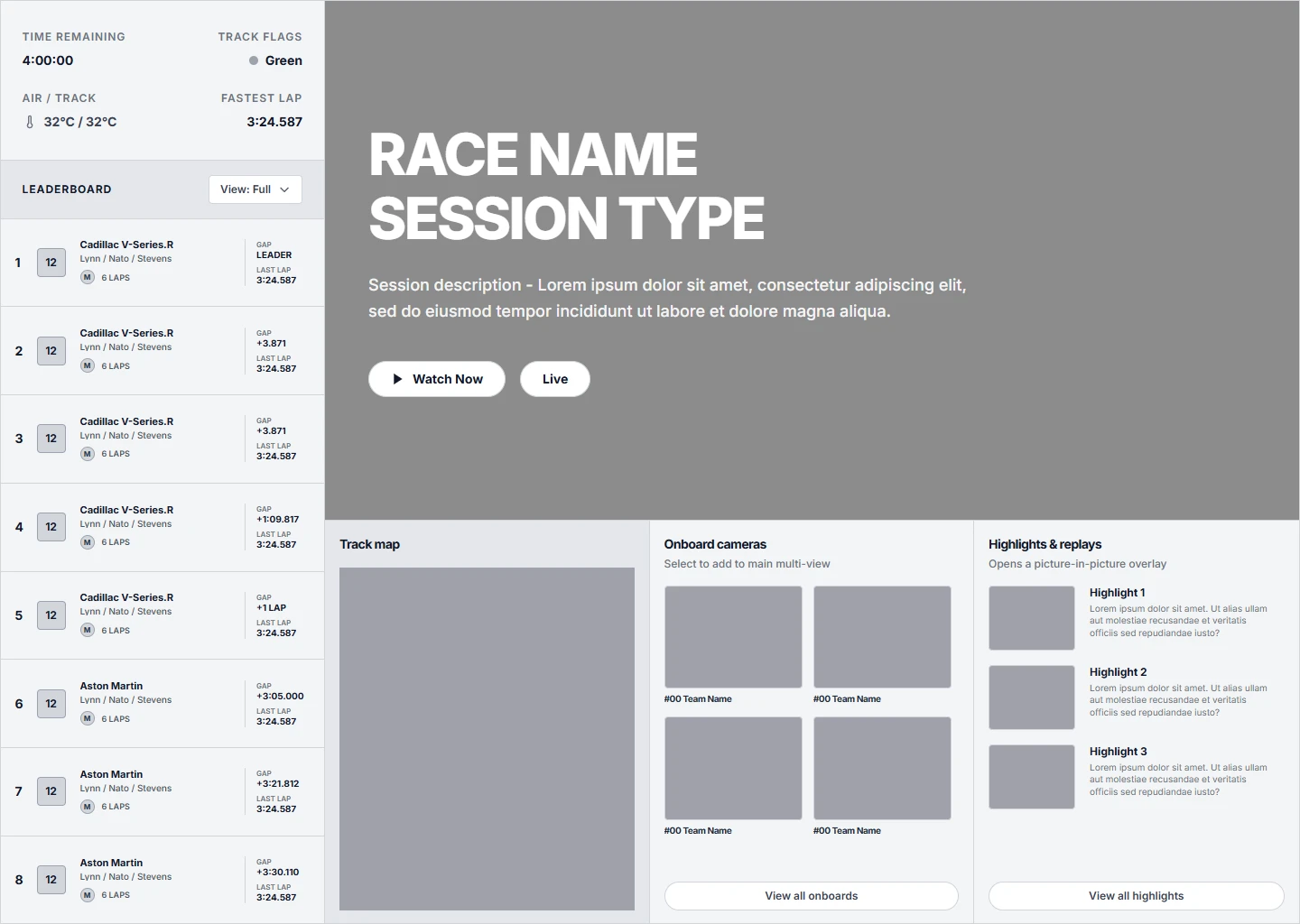
I led with a low-fidelity wireframing phase before any visual design, allowing me to fail fast, testing structural decisions with participants to catch fundamental problems before they became expensive to fix. Two critical pivots happened at this stage:

  • Shared vs. independent class toggles: Initial wireframes applied a single Full/Condensed toggle to both car classes simultaneously. Testing immediately revealed fans needed per-class control — catching this in lo-fi prevented hours of high-fidelity rework.
  • Core design over visual polish: Stripping aesthetics forced participants to react to core interaction design alone. Only after the structural decisions were validated did I introduce the final visual design.
Low-fidelity wireframe explorations for the WEC timing sidebar
Low-fidelity architectural exploration — sidebar layout options before any visual design

Design Decisions

Decision #1

One Timing Tower, Two Modes — With Independent Controls Per Class

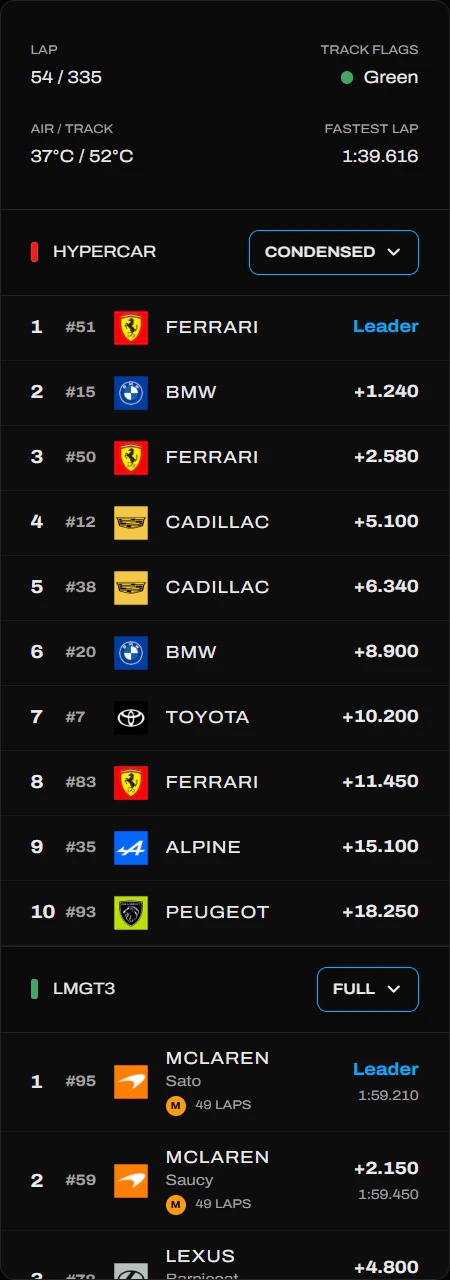
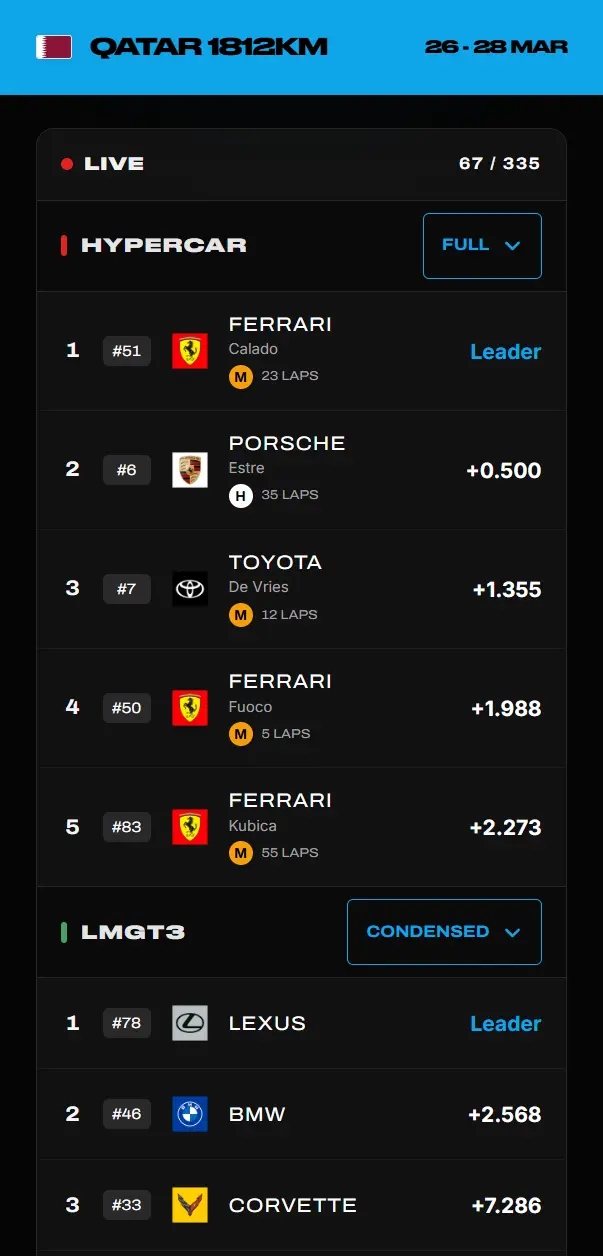
Problem #2 (hidden strategic data) and Problem #4 (information overload) pulled in opposite directions — enthusiasts needed more data exposed, casual fans needed less. The solution was a progressive disclosure approach: "Full" mode surfaces tyre age, lap times, and gaps; "Condensed" mode strips back to positional basics. A third "Hidden" option removes a class entirely for fans who only follow one.

The original wireframe applied a single shared toggle to both classes. During usability testing, all 5 participants expressed frustration that they couldn't control data density per class independently — enthusiasts tracking Hypercar strategy wanted Full mode while preferring Condensed for the class they follow casually. Each class was given its own independent Full/Condensed/Hidden control, a pivot caught in low-fidelity before any high-fidelity investment.

WEC Timing Tower Full Mode
'Full' sidebar
WEC Timing Tower Condensed Mode
'Condensed' sidebar

Decision #2

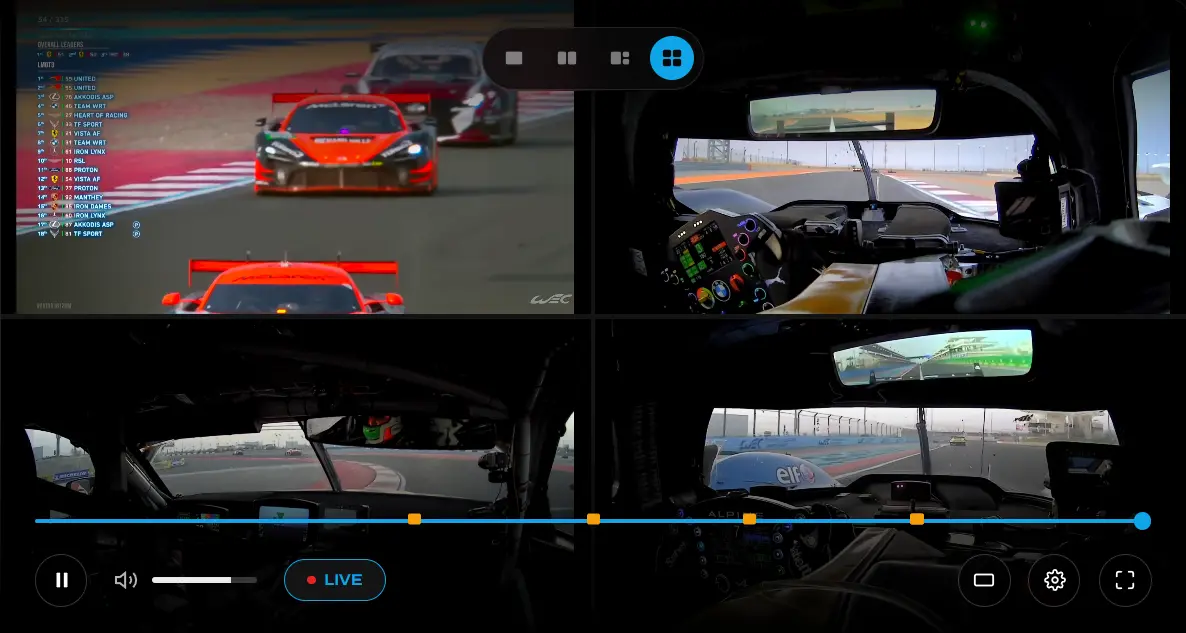
Four Customisable Feed Layouts — Timing Tower Always Anchored Left

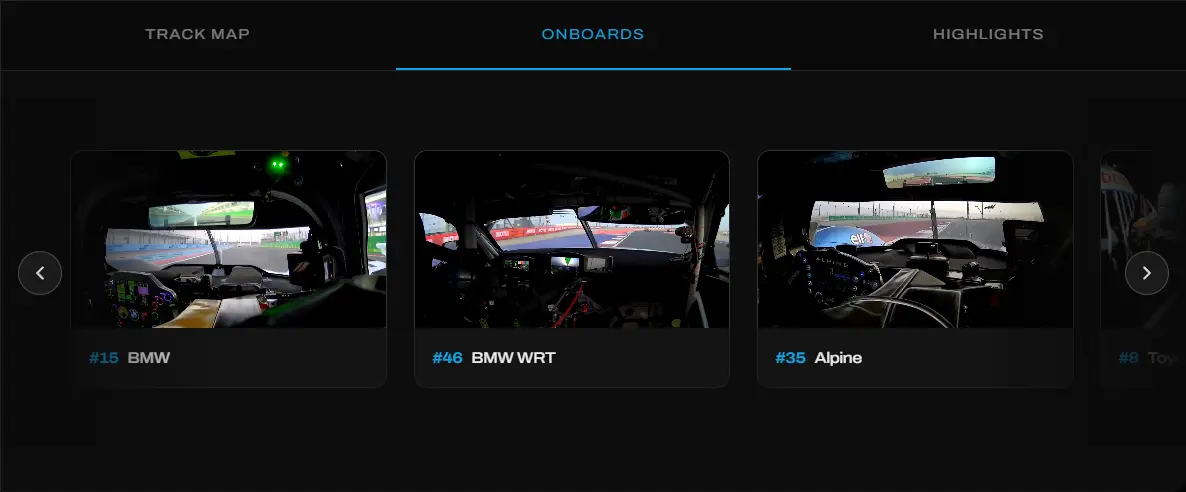
During usability testing I observed participants opening multiple onboard feeds and asked how many they'd realistically watch simultaneously. No participant went beyond 4 before disengaging, establishing four as the ceiling for layout configurations. The timing tower is anchored left in all configurations — F1 broadcast graphics, and every major motorsport broadcast position their timing overlay on the left, making this a learned convention. Disrupting it would introduce friction without benefit. No participant questioned the position during testing, which validated the convention assumption. However, if I were to run the study again, I'd test different layouts to find the optimal solution instead of assuming a learned convention - an oversight on my part.

2x1 2-screen layout
2x1 2-screen layout
3-screen layout
3-screen layout
2x2 4-screen layout
2x2 4-screen layout

Decision #3

Timing Data Stays Synced During Replay — Catch-Up Viewers Get Full Race Context

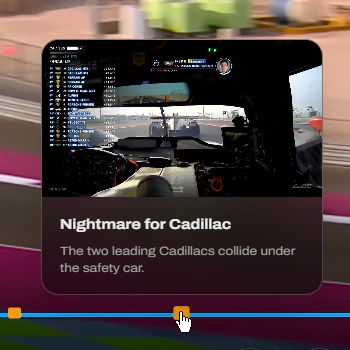
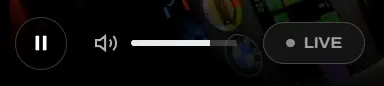
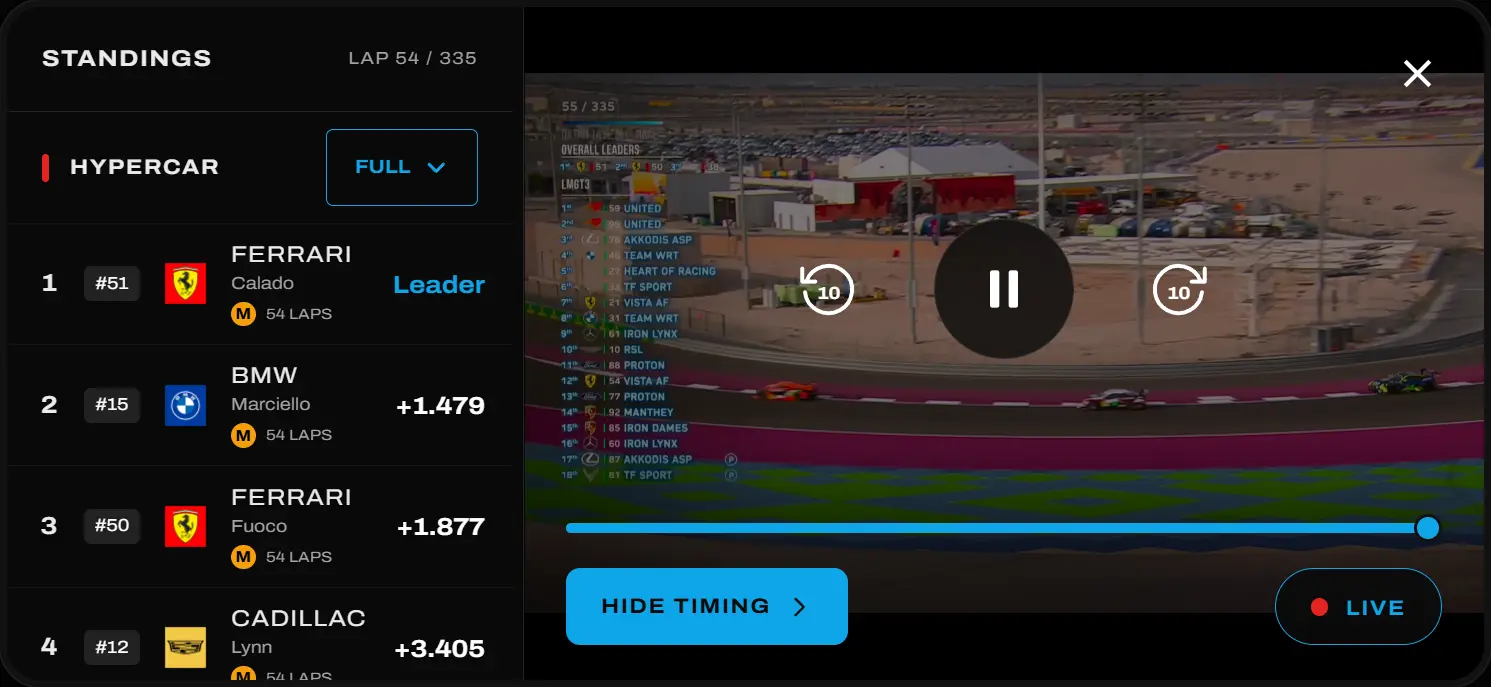
Several participants described returning to the broadcast after stepping away and finding themselves unable to reconstruct what had happened — the live leaderboard had moved on with no way to understand how. Problem #1 (no single source of truth) applied equally to catch-up viewing as to live watching. In replay mode, a scrubbable timeline appears and timing data syncs precisely to the replayed moment — so a viewer rewatching a safety car period sees the leaderboard as it was at that moment, not where it stands now.

Non-live replay status
Non-live status
Live status
Live status

Decision #4

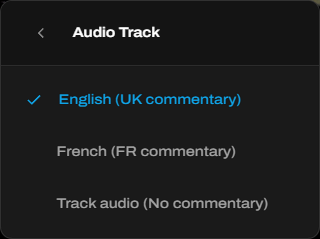
Decoupling Audio: A "Raw Track" Option for Fans Who Prefer Independent Commentary

4 of 6 participants in the Bahrain observation were actively using independent commentary networks (RadioLe Mans, YouTube live streams) in preference to the official TV audio. Decoupling the audio track from the video feed gives fans the option to listen to ambient track noise only — letting them layer their preferred commentary cleanly on top without conflict.

Audio decoupling options
Audio track options

Decision #5

Mobile Parity: Full, Condensed, and Hidden States with Integrated Highlights

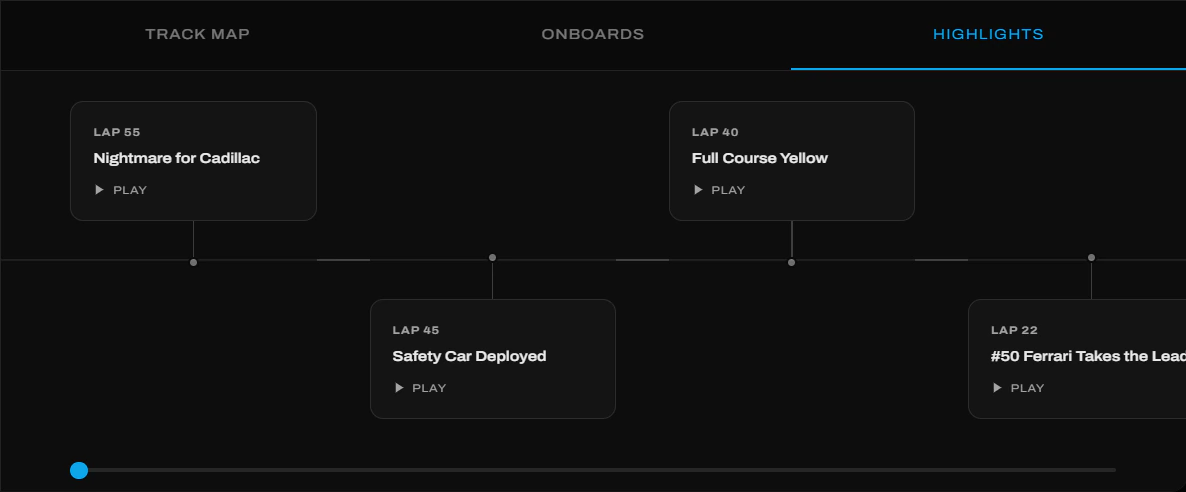
Contextual inquiry revealed participants frequently checked timing data on mobile while watching the broadcast on a TV — making mobile a genuine primary interface for a significant portion of users. The mobile UI mirrors the desktop approach with full, condensed, and hidden timing states — letting users expose exactly as much data as they want. A dedicated "Watch" tab for highlights maintains parity with the desktop experience.

Mobile app home page during a race
Mobile 'home' during a race
Mobile app watch page during a race
Mobile 'watch' during a race

Decision #6

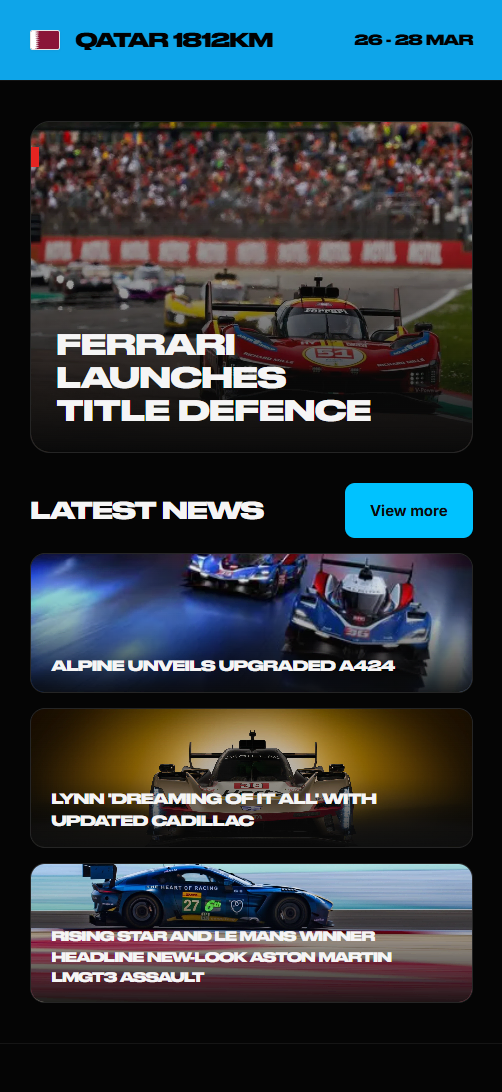
Pre-Race Narrative — Surfacing Storylines to Give Casual Fans Context Before Lights Out

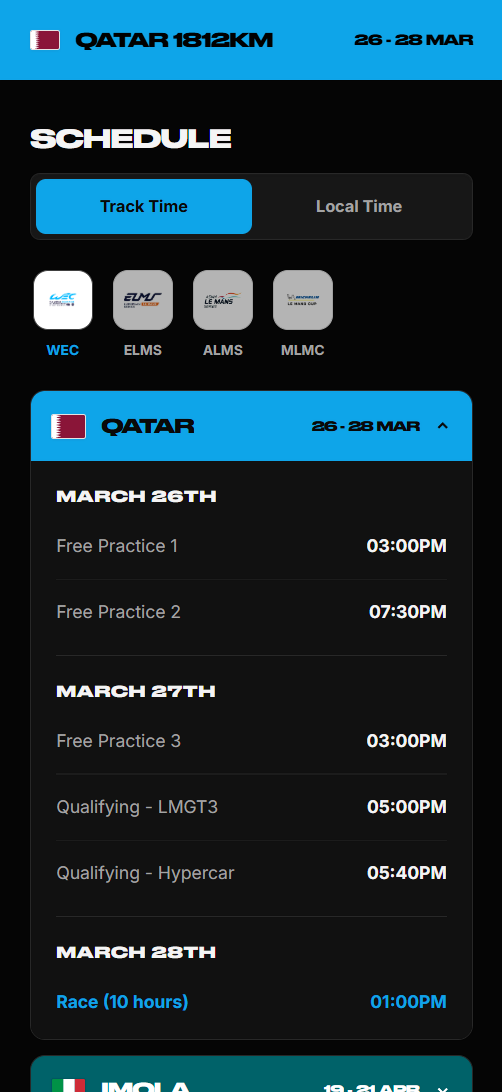
Interview participants who described giving up during the race frequently mentioned not knowing the context going in — they arrived at a chaotic leaderboard with no understanding of the championship situation or team storylines. The redesigned home screen surfaces key storylines and live news before the race starts — giving casual fans enough context to care about what happens. A schedule screen with a local timezone toggle removes the mental overhead of timezone conversion, which was cited unprompted in three separate interviews as a persistent frustration.

Mobile app home page pre-race
Mobile 'home' pre-race
Mobile app schedule page
Mobile 'schedule' page

Testing Confirmed Navigation — and Surfaced a Critical Sidebar Flaw

Tested the high-fidelity prototype with 5 participants across three structured tasks: switching between Full and Condensed timing modes, using the replay scrubber to return to a missed moment, and locating recent on-track highlights. All participants completed all three tasks on the first attempt with minor hesitation only. The primary finding that drove a design change was the combined class sidebar — all 5 participants expressed frustration at not being able to control data density per class independently, leading to the independent toggle system described in Decision #1.

Reflections & Takeaways

Information Hierarchy Was the Core Design ProblemWith enormous data volumes, defining who sees what — and when — produced more value than any single UI decision. The breakthrough was treating progressive disclosure as an architectural constraint, not a visual polish step — which is why it was validated in lo-fi before any high-fidelity work began.

Small Testing Pool, Enthusiast SkewRecruiting from personal network produced participants who were already deeply engaged with WEC. In a production setting, broader-scale research would be needed to validate concepts — particularly around the casual fan experience, as my sampling method for recruitment was flawed and skewed.

Live Observation Produced Data That Interviews Alone Couldn'tThe 10+ app switches per hour figure only emerged because I was watching participants during the race — not asking them about it afterwards. Self-reported behaviour would have undercounted significantly. The contextual inquiry format was essential to the validity of the core finding.