NHM NFC-Enabled Interactive Exhibits
Replacing ignored, text-heavy museum kiosks with NFC wristband-triggered, gamified interactions — driving engagement without overwhelming visitors.

Designing for Behaviour Observed on the Museum Floor, Not Behaviour Reported in Surveys
This was a collaborative academic project completed with three peers. Our team conducted user interviews, surveys, and naturalistic observations directly on the NHM floor. All participants provided informed consent. Research responsibilities were shared equally across the team; I personally owned the anthropometric grid specification and our team collectively drew upon our research for our final designs.
The core tension of the project: visitors consistently said they wanted more information, then walked away from the kiosks that provided it. The design had to serve what people actually did — not what they claimed they would do.
Survey Data (n=43) Confirmed the Appetite for Interaction — and Exposed the App Download Risk
- 92% of respondents interact with hands-on exhibits — validating the core premise that physical interaction drives engagement.
- 90% use interactive touchscreens — confirming appetite for kiosk-style interaction.
- 69% navigate spontaneously — the kiosk design had to work for drop-in visitors with no prior intent to engage.
- Only 46% use museum-provided apps — the single strongest quantitative justification for avoiding a downloadable app solution.
- Only 45% scan QR/NFC tags — a known adoption risk that directly shaped how we positioned the NFC wristband (as the interaction to activate the quiz and collect stamps itself, not a navigation tool).
Visitors Said They Wanted to Read — But Physically Walked Away From Text Screens
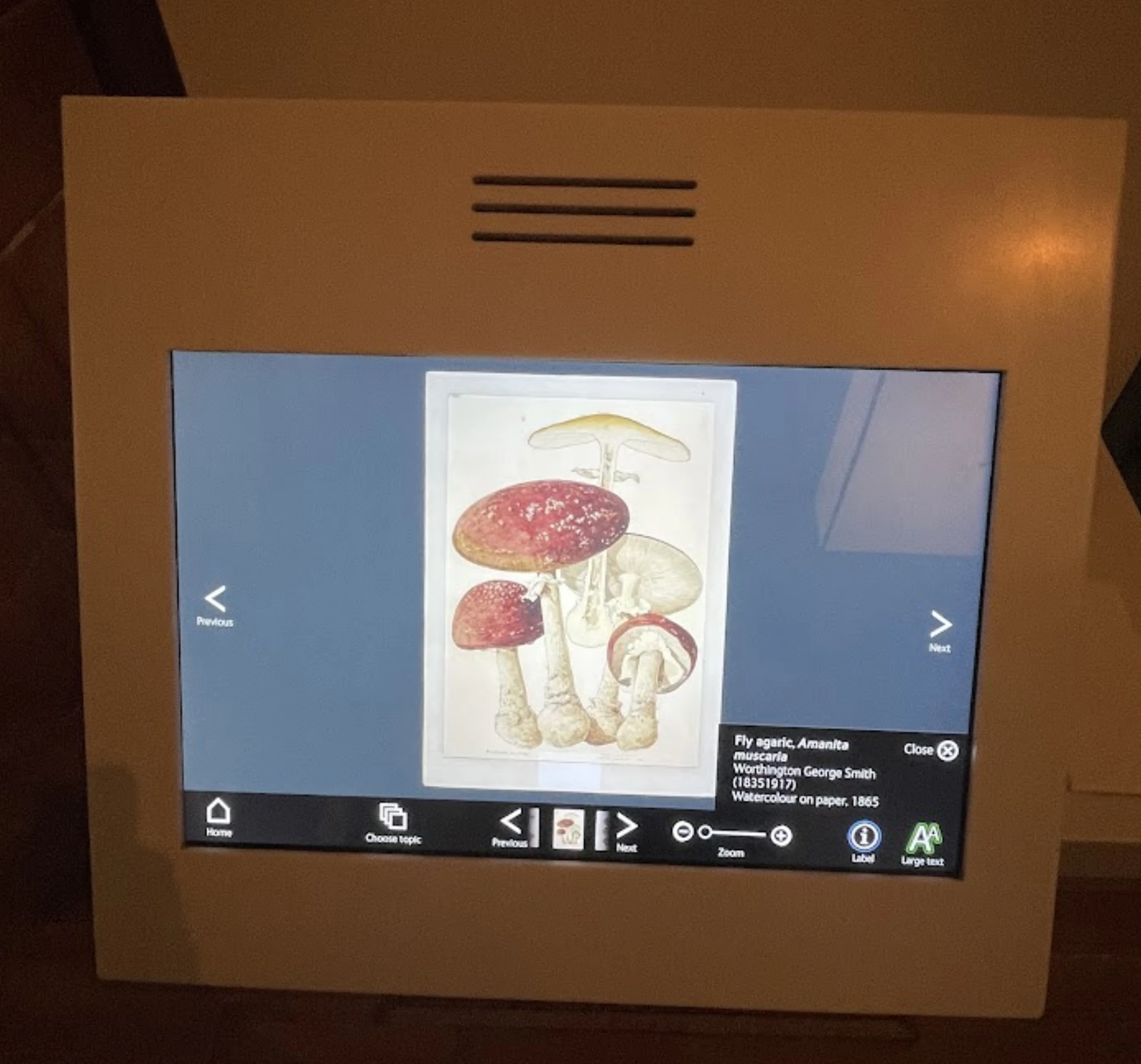
On-floor observation uncovered a critical gap between self-reported intent and actual behaviour: visitors claimed they wanted more information but consistently abandoned text-heavy kiosks within 90 seconds. We also observed visitors hunching over and leaning in to read screens. We hypothesised gallery glare contributed — roughly 20–30% of abandonment based on observed frequency — though without precise measurement tools this remained an estimate.
Problem #1
Queues Caused Visitors to Abandon Before They'd Even Interacted
During peak hours, some visitors were observed getting frustrated and leaving an exhibit after 90 seconds of waiting for a turn on an interactive element — abandoning before any interaction had taken place.
Problem #2
Walls of Text Caused Immediate Drop-off
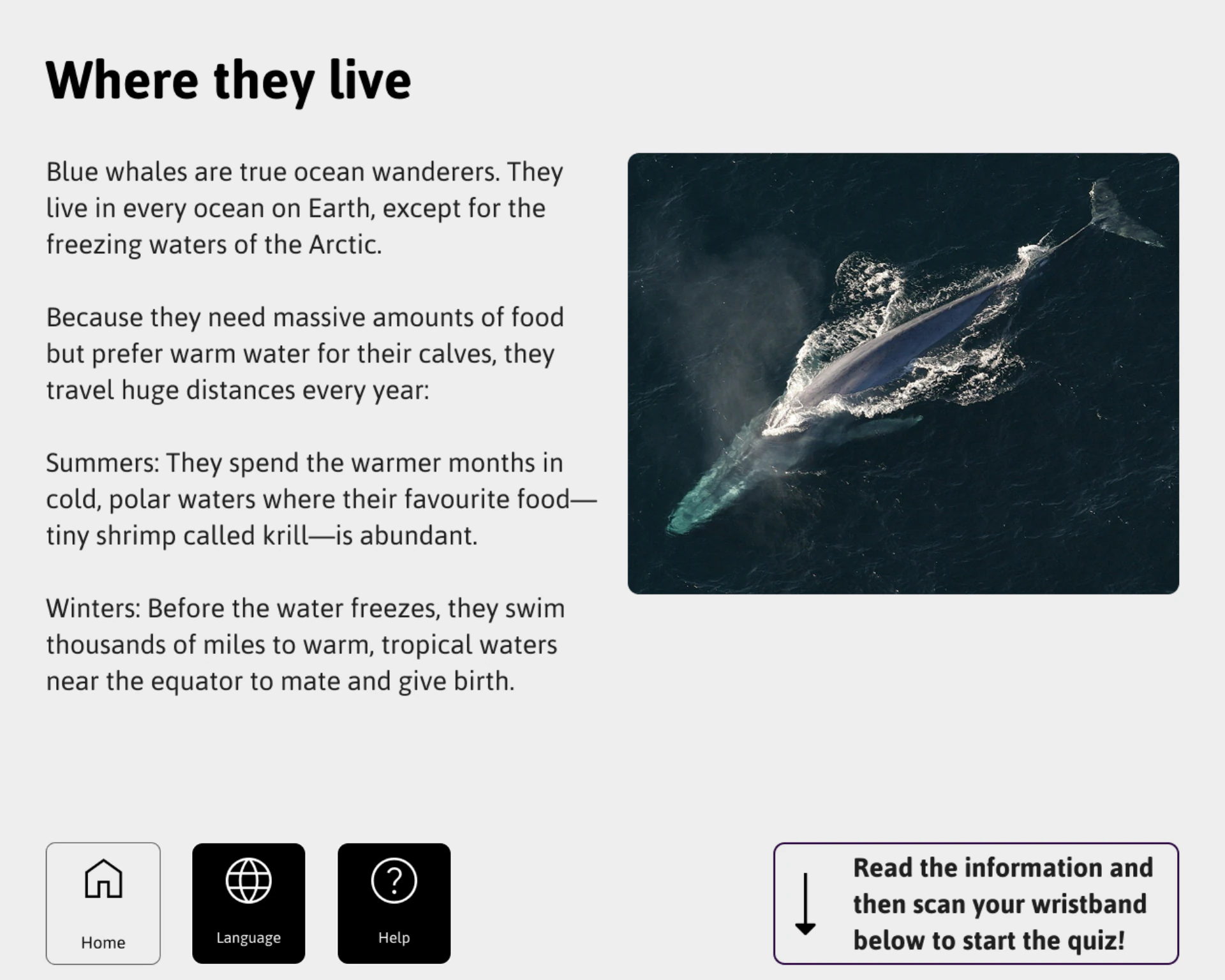
Information-dense kiosks were used less than those with progressive information release. Less content shown at once meant more time spent — a counterintuitive but consistently observed pattern.
Problem #3
Interactions Without Feedback Felt Pointless
Interview synthesis revealed that without a sense of reward, visitors felt digital interactions were not worth the effort. Tangible feedback loops made engagement feel worthwhile.
Problem #4
Screens Competed With the Physical Artefact
Visitors came to see the physical exhibit, not a screen. The digital UI must supplement the artefact without becoming the primary attraction — a constraint that shaped every interaction decision.
Both Visitor Types Were Failing to Engage — But for Completely Different Reasons
Natu, the Casual Visitor
"I want to learn, but I don't want to just read a block of text."
- Photographs plaques to avoid reading them in the moment.
- Spends less than 90 seconds at any single exhibit before moving on.
Nathan, the Knowledge Seeker
"Current kiosks are too complex to use, and plaques have too much useless filler."
- Abandons interactions the moment the interface flow is unclear.
- Feels rushed and anxious the moment a queue starts forming behind him.
"How might we replace the passive act of reading about an exhibit with an active reason to stay — without turning the screen into the main attraction?"
Design Decisions
Decision #1
The Grid Layout — Mapping All High-Frequency Interactions to the Natural Wrist-Reach Zone
Naturalistic observation showed visitors struggling with wrist flexion when reaching to screen extremities — hunching, leaning, and repositioning rather than making contact. I designed a 8-column vertical grid layout, mapping three distinct zones: a no-go zone at the top, a "Green" interaction zone at chest height anchoring all high-frequency Yes/No actions, and a navigation zone at the bottom. Paper prototyping allowed rapid iteration before committing to a digital spec.


Decision #2
6:1 Contrast Floor — Exceeding WCAG AA to Compensate for Specular Reflection
Under midday gallery lighting, visitors consistently leaned in or repositioned themselves to read content — specular reflection was visibly degrading readability. WCAG AA requires 4.5:1 for normal text and 3:1 for large text. I mandated a strict 6:1 minimum contrast ratio across all interactive elements — a threshold chosen to remain between AA and AAA (7:1) while providing a practical buffer against the ambient light conditions we measured on the floor. A minimum interactive element size of 44×44px (WCAG 2.5.5) was enforced across all touchpoints.
Decision #3
NFC Wristbands Remove the App Download Barrier
Survey data showed only 46% of visitors use museum-provided apps. Semi-structured interviews confirmed the reason: participants firmly rejected downloading an app for a single museum visit as it was deemed an annoyance. A physical NFC wristband leverages the familiarity of contactless tap interactions to remove this friction without any software installation. We acknowledged that only 45% of visitors currently scan QR/NFC tags — a known adoption risk. The wristband addresses this directly by making NFC the core interaction.

Decision #4
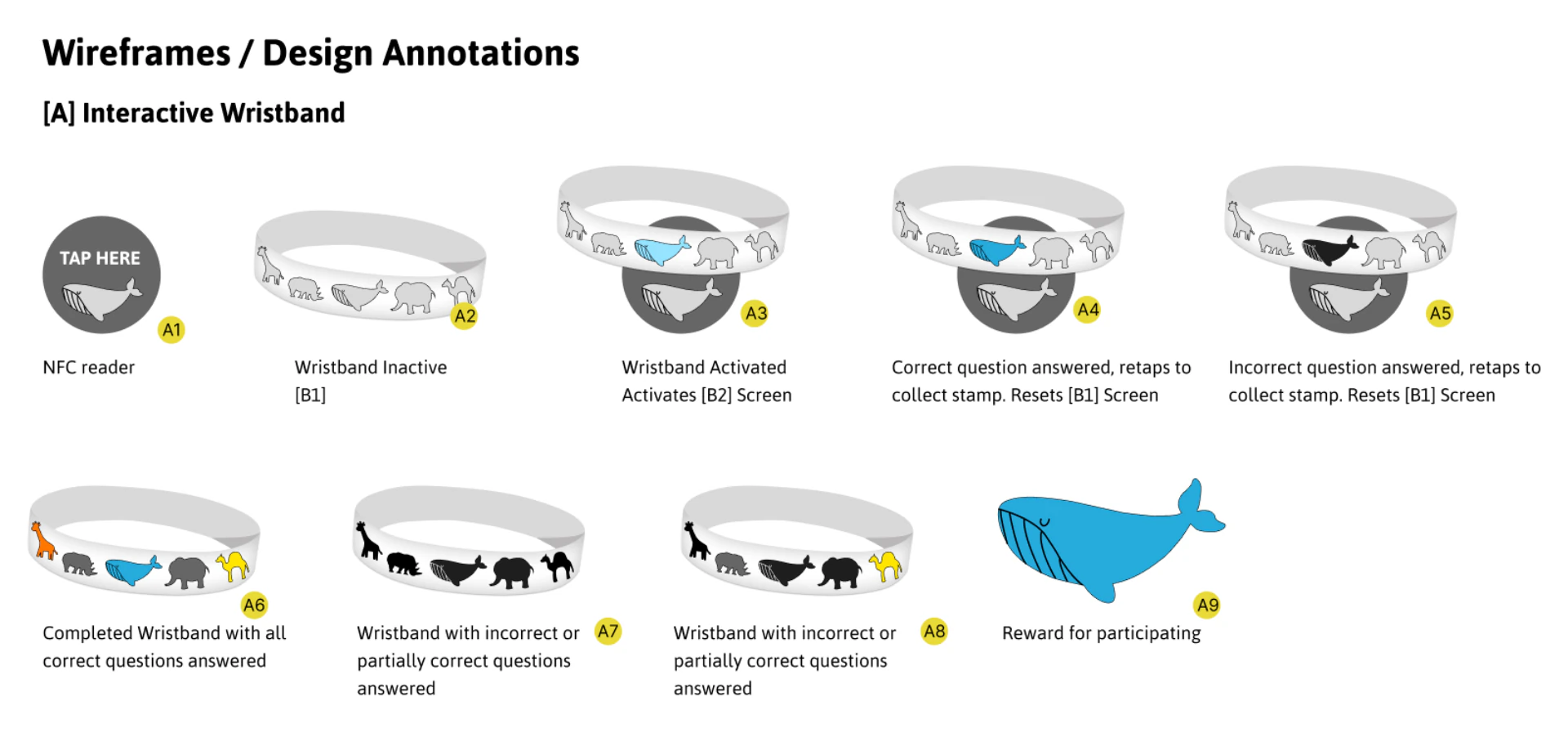
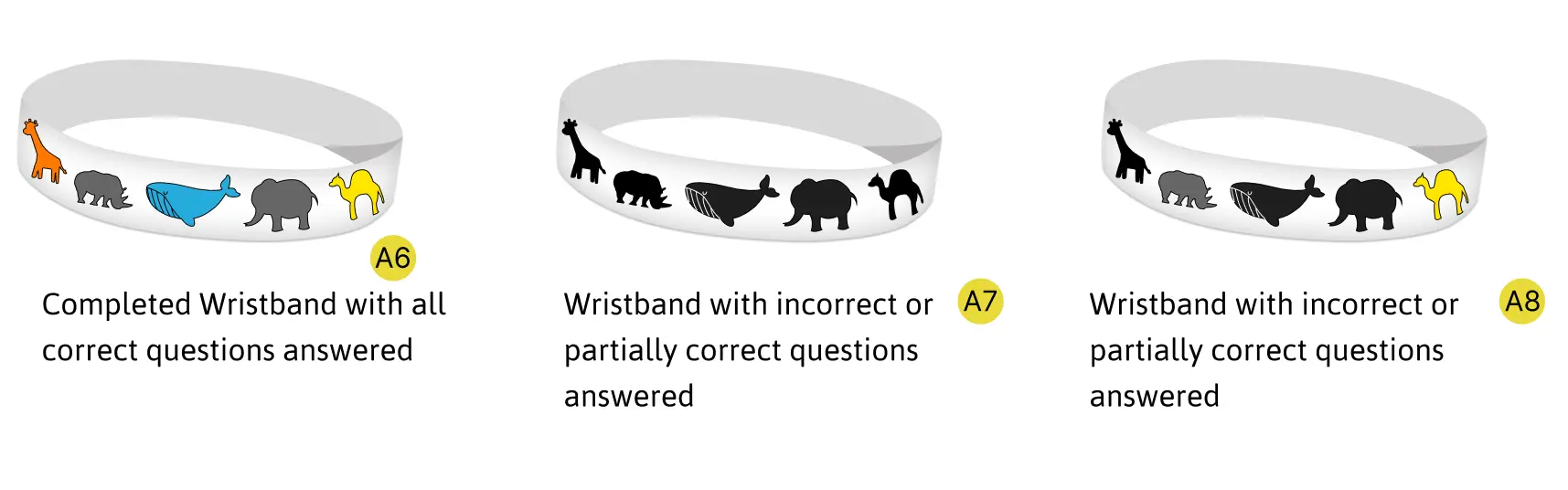
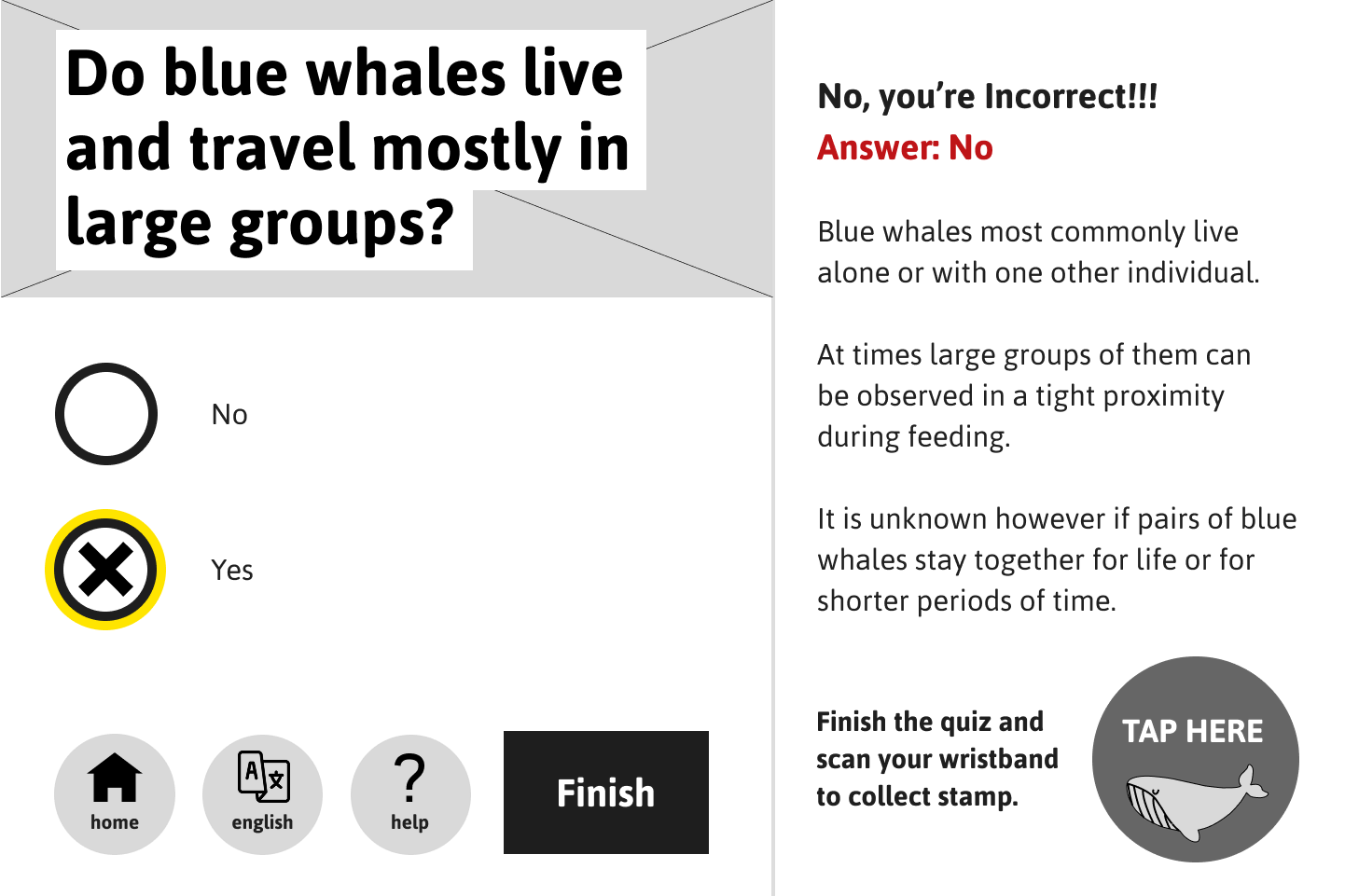
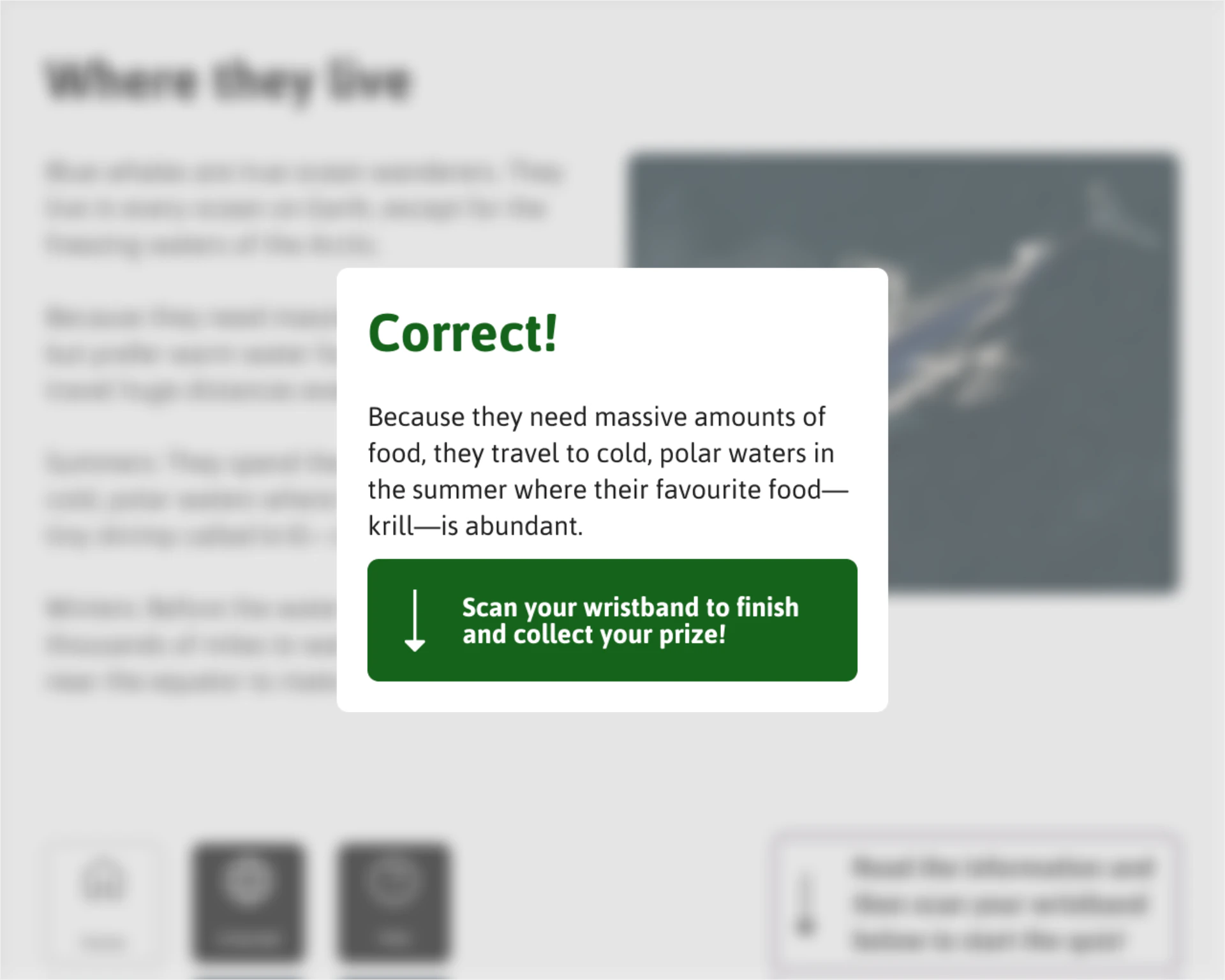
Two-Tier Rewards: Participation Stamps for All, Prestige Badges for Correct Answers
Interview synthesis revealed two distinct motivations: casual visitors (Natu) wanted a reason to feel the interaction was worth stopping for, while knowledge seekers (Nathan) wanted recognition for getting the right answer — not just for showing up. A single reward type would serve one at the expense of the other. Participation stamps reward effort; prestige badges reward accuracy — the first assumption is that effort alone is motivating for casual visitors, which is a hypothesis to validate through post-deployment engagement tracking.


Decision #5
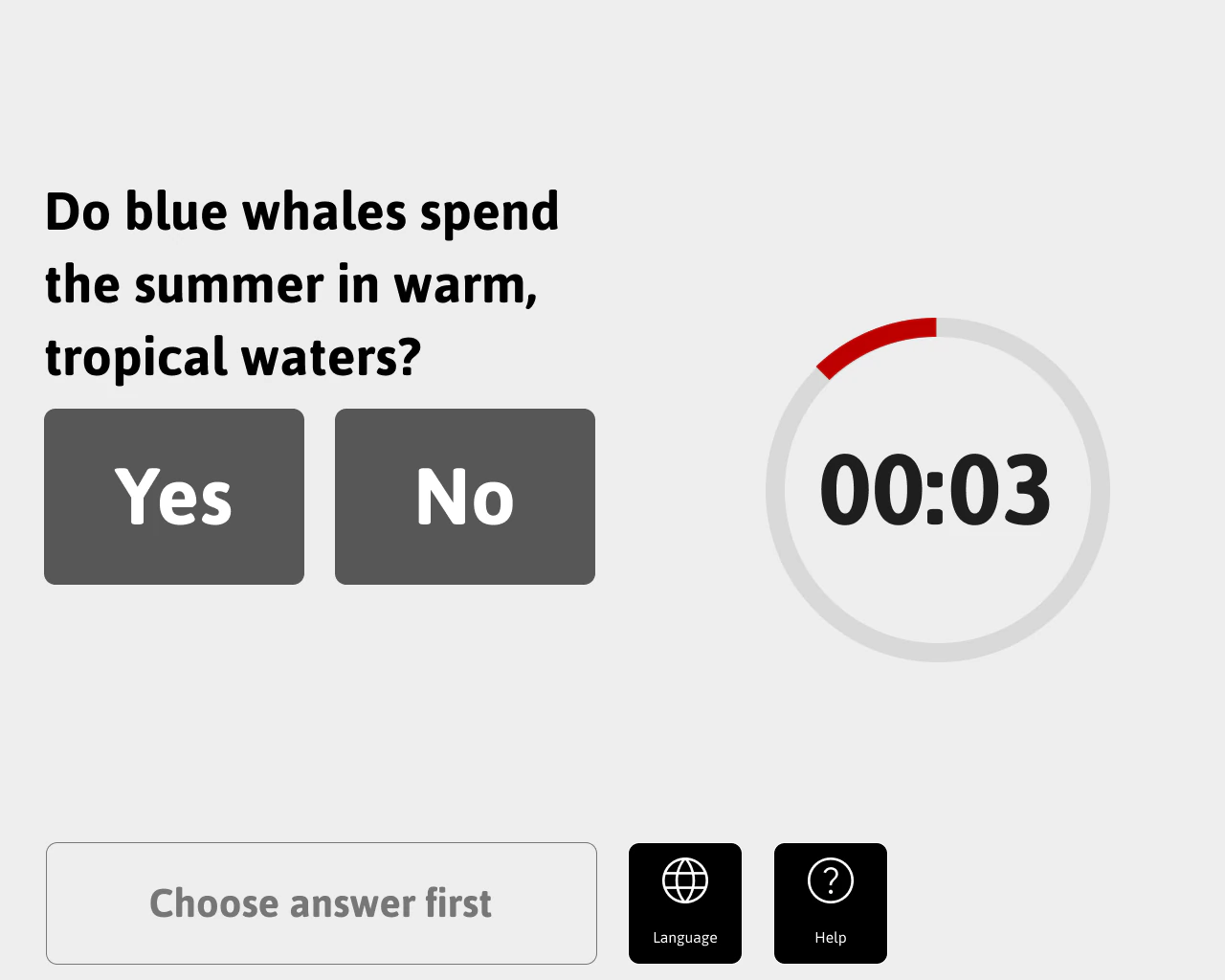
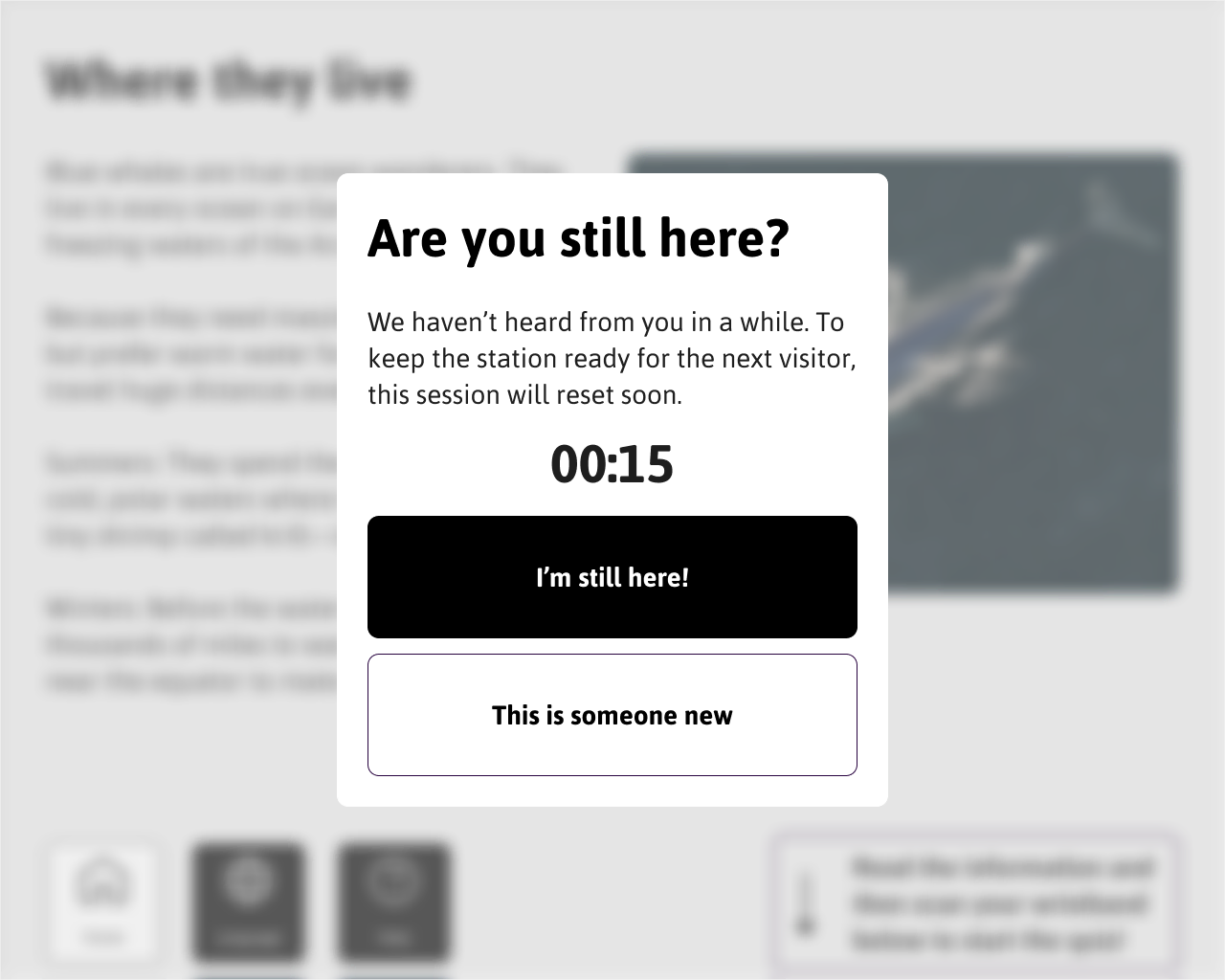
30-Second Time-Box + Tiered Session Reset — Solving Queue Anxiety and Ghost Users
Observation showed queues forming behind popular screens and creating anxiety that caused current users to abandon mid-interaction. Survey data reinforced this — the overwhelming majority of respondents reported that crowd presence caused them to skip exhibits or disengage. A hard 30-second time-box per question sets a clear throughput expectation of 60–90 seconds per complete interaction. Ghost users — visitors who abandon mid-session — are handled by a tiered reset that prompts after 60 seconds of inactivity and hard-resets if ignored. Initial prototype timing was 45 seconds, which proved too generous in usability testing. We also tested a multi-screen flow with a dedicated instructions screen before the question — this exceeded the 60–90 second target and was reduced to a single screen.


Testing Revealed a Critical End-Flow Flaw — and Produced a Better Interaction Model
Tested with 5 participants in a lab setting across three structured tasks: triggering the interaction via NFC wristband tap, completing a trivia question within the time limit, and locating the reward stamp at the end of the flow. The primary finding was that one participant found the multi-step end flow frustrating — expecting to receive their stamp by tapping the wristband directly rather than pressing a separate "Finish" button. The end flow was redesigned to make the wristband tap the final confirming action, as seen in decision #4, removing the button entirely and creating a consistent tap-in, tap-out interaction model that reinforces the NFC mechanic throughout.
Reflections & Takeaways
Surveys Revealed Intent; Observation Revealed BehaviourWithout floor observation, we would have built a more text-heavy system — exactly what visitors said they wanted and consistently avoided in practice. The gap between self-reported preference and actual behaviour was the single most important research finding of the project.
The Physical Environment Is a Design Constraint, Not a Context NoteGlare, queue pressure, and reach zones all shaped design decisions as fundamentally as user motivations did. Accessibility gaps identified in the anthropometric grid — particularly for child visitors and wheelchair users — would be a prerequisite for production, not optional enhancements.
Timer Calibration Requires Real-World ValidationThe 30-second time-box was initially prototyped at 45 seconds. Testing showed 45 seconds created no urgency. The right threshold can only be found through iteration with real queue conditions — lab testing can only approximate the social pressure of a real museum crowd.